Adding Funds to Your Wallet
To use CaptchaSonic's automated CAPTCHA-solving services, you must maintain a positive balance in your account wallet. We use a secure cryptocurrency-based payment system to ensure fast, global, and private transactions.
NOTE
CaptchaSonic operates on a pay-as-you-go model. Credits never expire, and you are only charged for successfully solved CAPTCHAs.
1. Accessing the Billing Dashboard
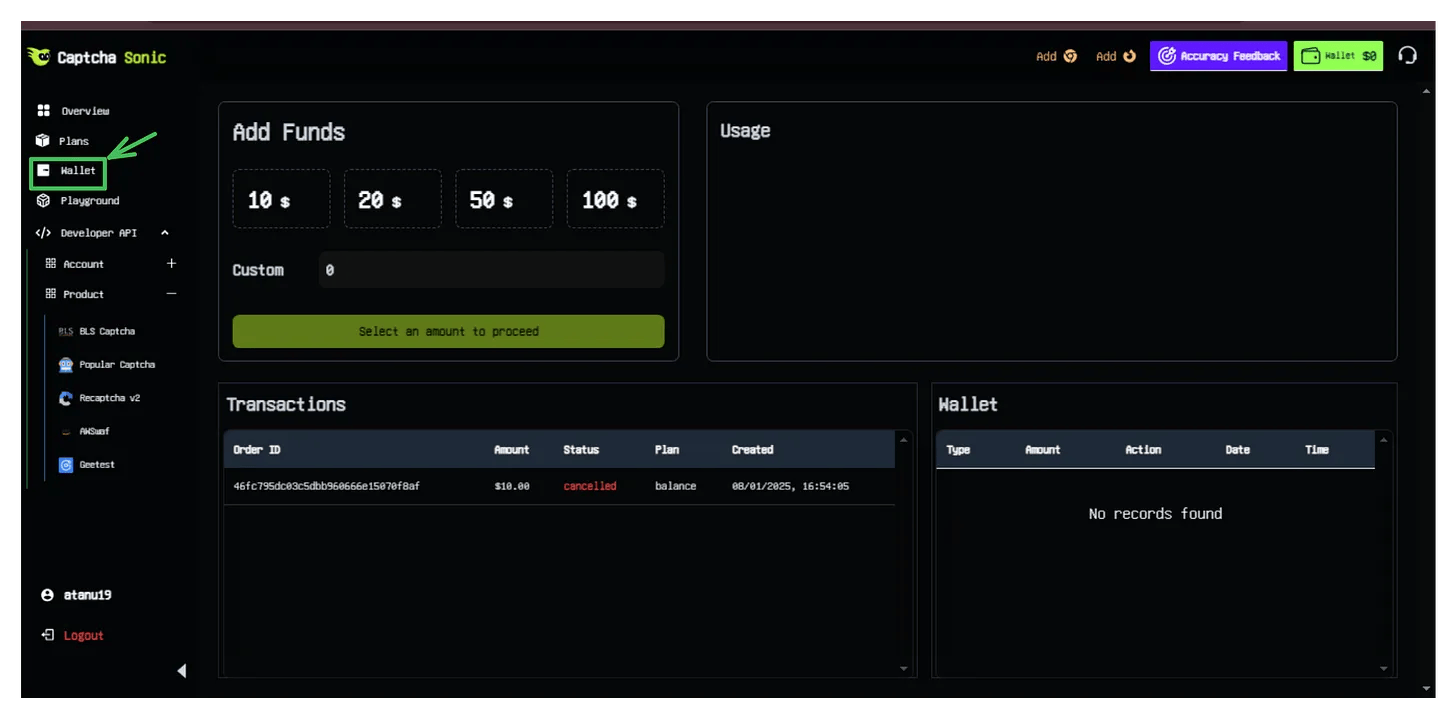
- Log in to your CaptchaSonic Dashboard.
- Navigate to the Wallet or Billing section using the sidebar menu.
- Here you can see your current balance, transaction history, and recent orders.
2. Initiation Process
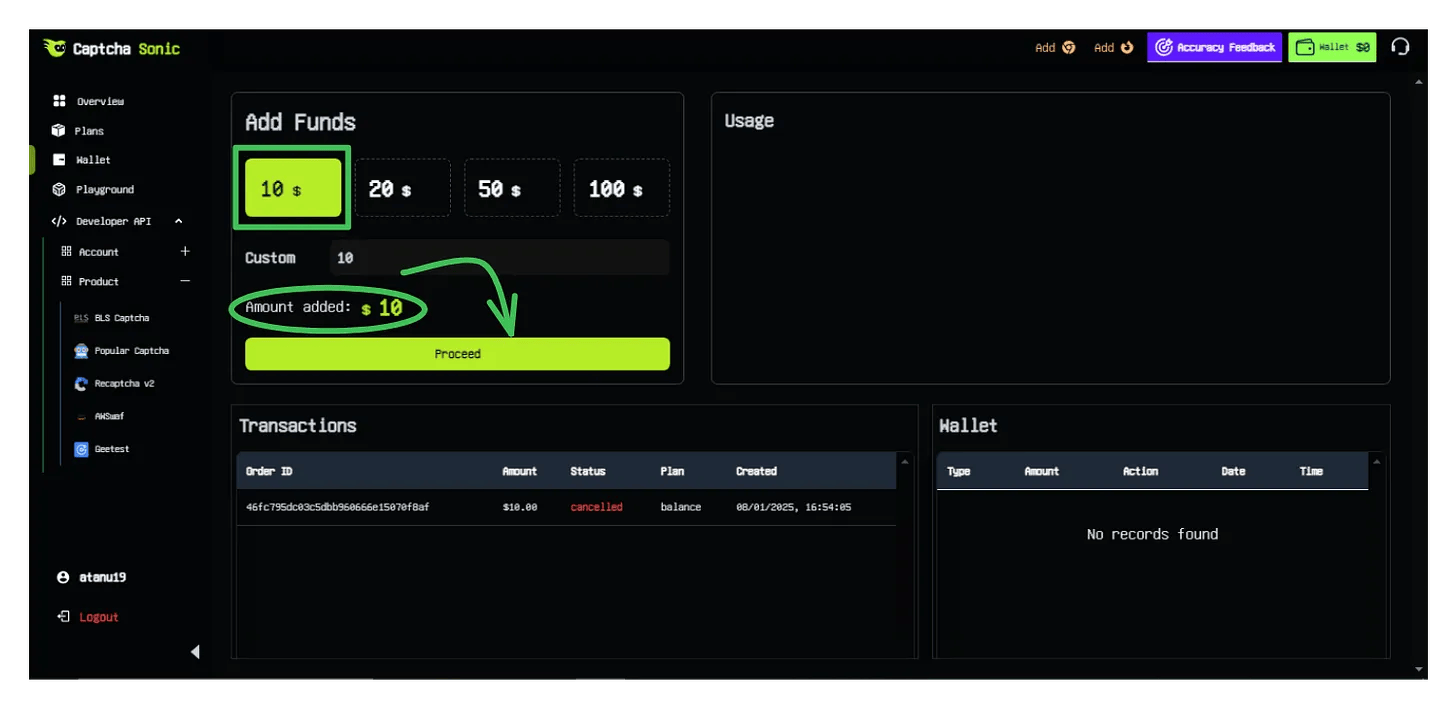
Step 1: Select Deposit Amount
Choose from our predefined deposit amounts or enter a custom value. Higher deposit amounts may be eligible for bonus credits during promotional periods.
Step 2: Choose Payment Method
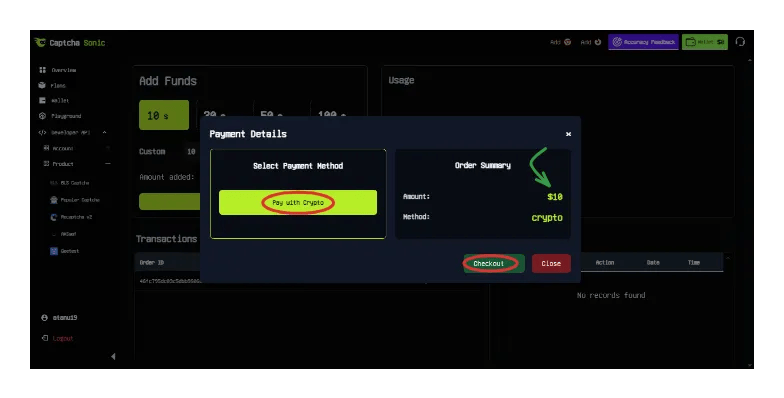
Click on Pay with Crypto. Currently, we support a wide range of cryptocurrencies including:
- Bitcoin (BTC)
- Ethereum (ETH)
- Tether (USDT - ERC20/TRC20)
- Litecoin (LTC)
- And more...
3. Completing the Transaction
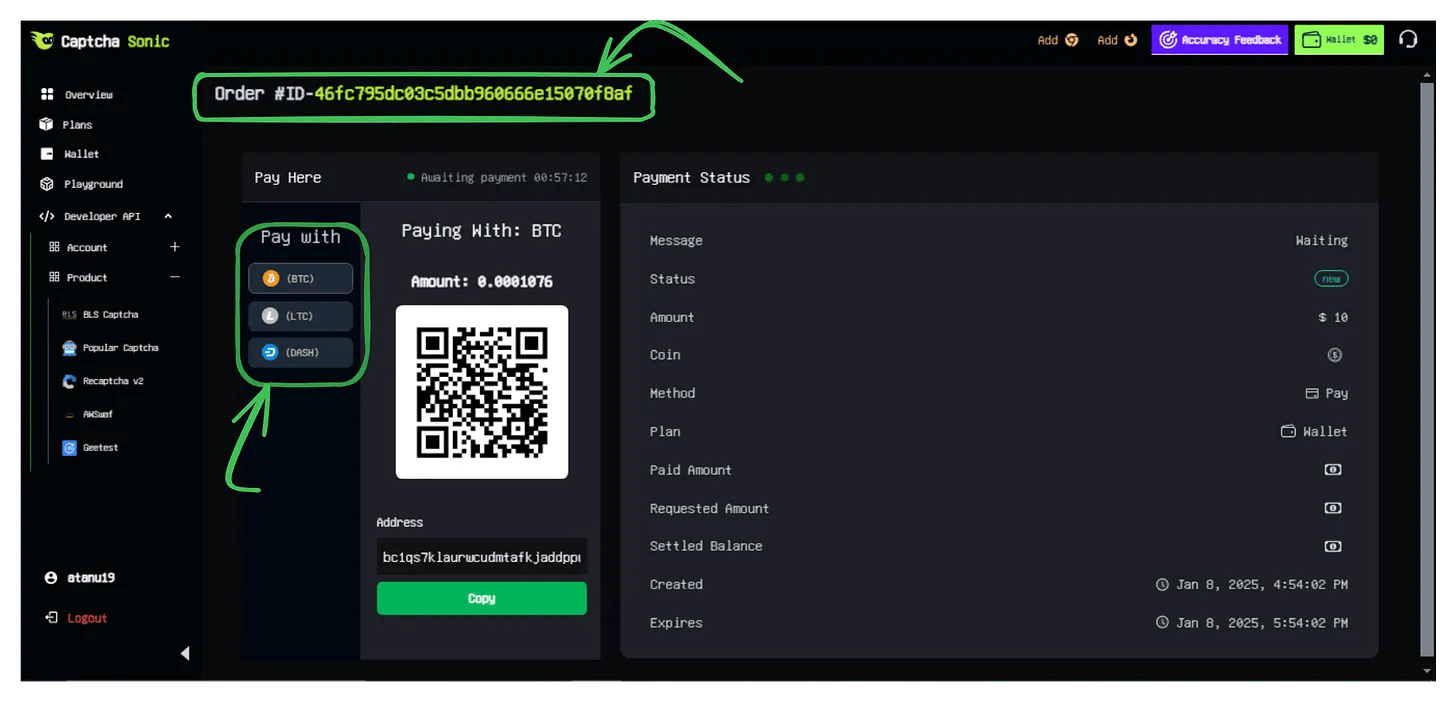
Once you click Checkout, an Order ID will be generated, and you will be redirected to our secure payment processor.
Step 3: Send Payment
- Select Currency: If you haven't already, choose your preferred coin.
- Copy Details: You will be presented with a unique Payment Address and the exact Amount required.
- Transfer: Use your preferred wallet (e.g., Binance, Trust Wallet, MetaMask) to send the funds.
WARNING
Check the Network: Ensure you are sending funds over the correct network (e.g., TRC20 for USDT on Tron). Sending funds over the wrong network will result in permanent loss of capital.
Step 4: Confirmation
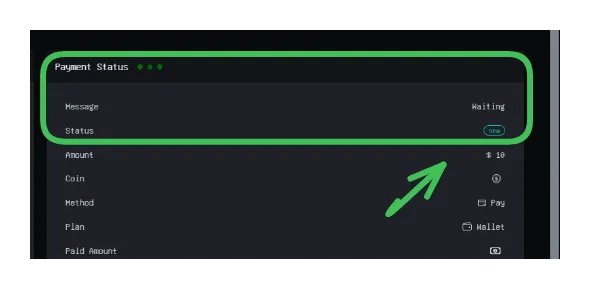
The page will automatically update once the transaction is detected on the blockchain.
- Status: Waiting -> Transaction found, awaiting network confirmations.
- Status: Done -> Funds credited to your wallet.
4. Best Practices & Security
- Double Check Addresses: Technology is unforgiving. Always use the "Copy" button instead of typing addresses manually.
- Include Fees: Ensure your wallet/exchange includes the withdrawal fee on top of the requested amount, or choose a "send exact amount" option if available.
- Network Latency: BTC transactions may take 10-30 minutes depending on network congestion. USDT (TRC20) is typically credited within 2-5 minutes.
- Support: If your balance hasn't updated within 1 hour of sending funds, please contact support with your Order ID and Transaction Hash (TXID).
5. Conclusion
Your wallet is now ready. You can monitor your real-time usage and balance directly from the Main Dashboard.
Integrating our APIs into your workflow will now automatically draw from this balance. Happy Automating!
TIP
Looking for automated recurring billing? Contact our enterprise sales team for custom invoicing options.